
Vlogger Studio is available now on Apple App Store, with the Android Play Store version coming soon!
Get Early Access (Android)
Want to test the Android app before the official release? We are offering early access to the first 80 users. To join the beta, Request to join the below google group with your Android Play Store email – Vlogger Studio Closed Testing group. Once the access is provided, you can download the app from the link you will receive in email. Continue to use, test and provide feedback through email.
.
Important: Enable YouTube Live Now
Before you can stream, you must enable Live Streaming on your YouTube account. YouTube enforces a mandatory 24-hour activation period, so we recommend doing this immediately so you’re ready to go when the app is installed.
How to Enable YouTube Live (Quick Steps)
- Verify your phone number
- Login to YouTube Studio
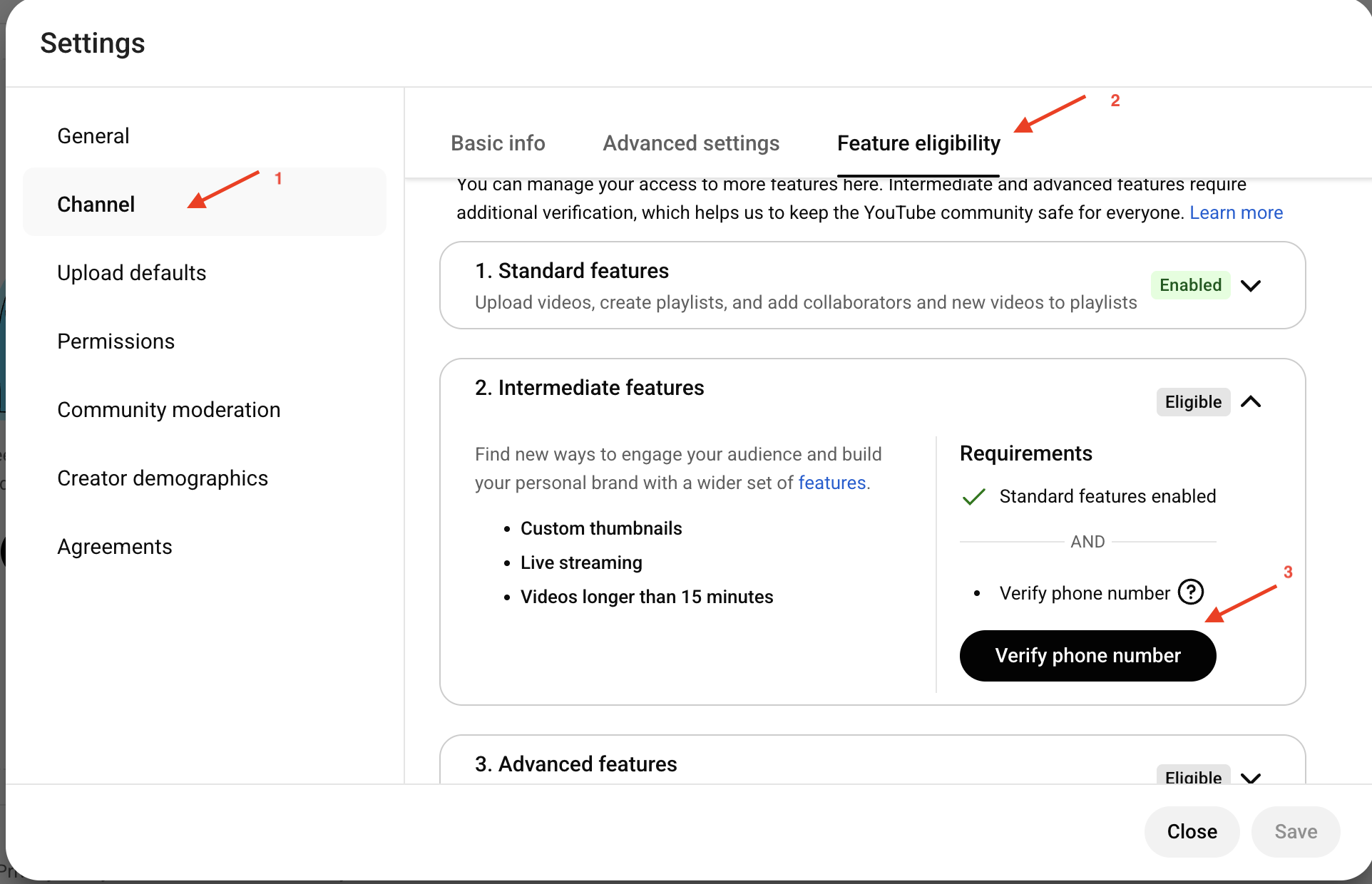
- Go to Settings (bottom left) → Channel → Feature eligibility.
- Expand Intermediate Features and click Verify Phone Number.

- Follow the prompts to receive and enter your verification code.
- Start the 24-Hour Countdown
- Once verified, stay in YouTube Studio.
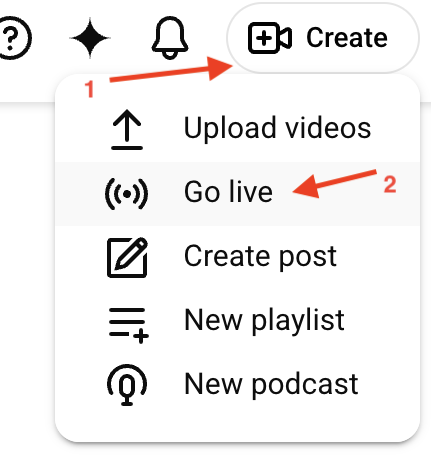
- In the top-right corner, click Create → Go Live.
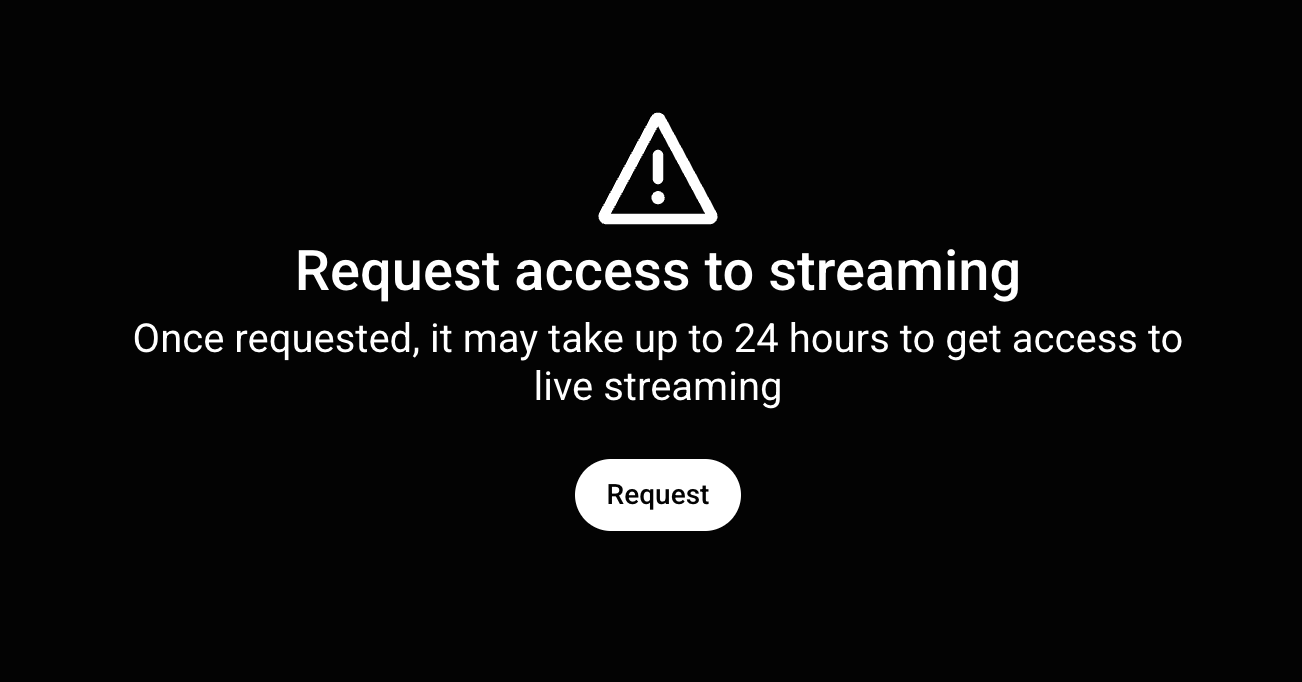
- You will see a “Request” button. Click it to trigger the 24-hour countdown.
- Note: There is no way to bypass this 24-hour wait, so don’t wait until the last minute to start this process!
Total Page Visits: 1904 - Today Page Visits: 5